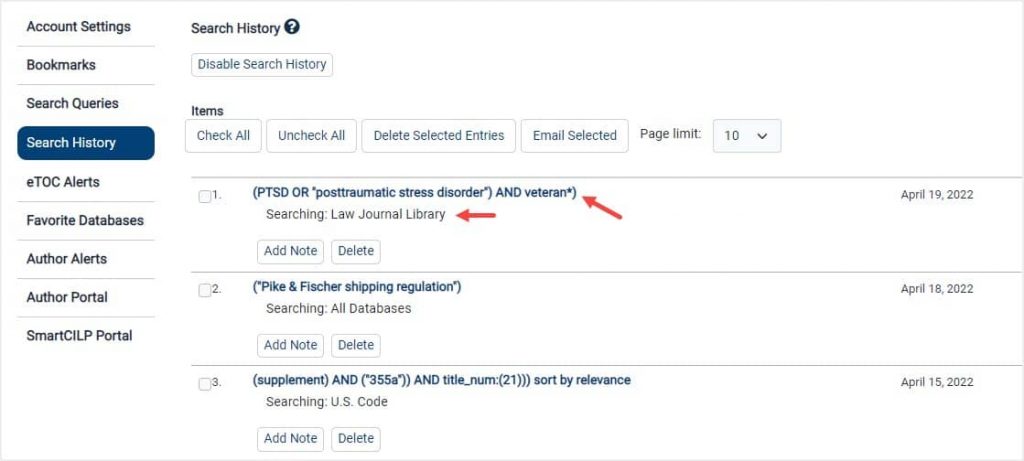
After logging into your MyHein, any search in a database or across all databases will appear in a new tab marked Search History.
Video Tutorial
Watch this short video to learn how to manage your search history or keep scrolling to learn more.
Manage Search History
After signing into MyHein, run any search to see it reflected in the Search History portion of MyHein. Select any query to return to the results page. Users will also notice the search query information, including what database was searched within.
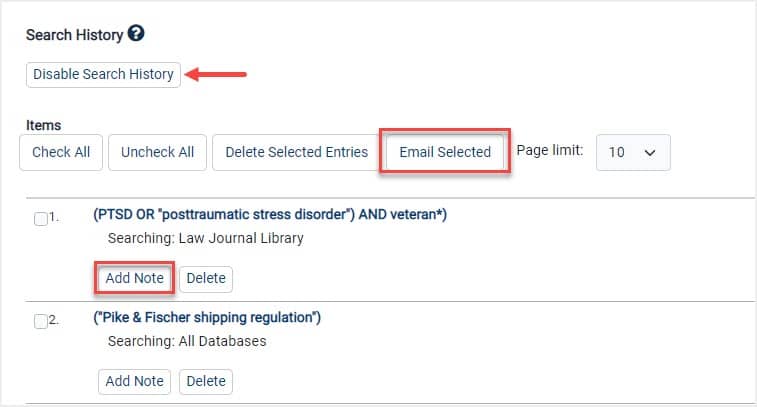
Users can add a note to any search history listing, email it to a friend/colleague, or disable their search history if this is not a feature they would use. Search history can be enabled again if desired.